

What is a smart thermostat? It’s more than just a programmable device—it’s a connected controller that learns, saves energy, and integrates with other smart home tech. As demand for convenience and energy savings rises, smart thermostats are transforming how we manage home comfort and utility bills. But are they the right fit for everyone? Let’s break down what really matters before you invest.
Key Takeaways
- Smart thermostats automate temperature control using Wi-Fi, sensors, and AI—delivering notable energy and cost savings for most households.
- Adoption is growing fast, but common challenges include compatibility, installation issues, and unreliable app experiences.
- Most articles skip detailed cost breakdowns, real user pain points, or testimonials, but these factors matter when deciding if a smart thermostat is right for you.
- The Core Concept: What is a Smart Thermostat?
- Step-by-Step Guide: Selecting and Installing a Smart Thermostat
- Advanced Analysis & Common Pitfalls
- Conclusion
- FAQ
The Core Concept: What is a Smart Thermostat?
A smart thermostat is a connected device that manages your home’s heating and cooling systems, but unlike traditional models, it uses Wi-Fi, adaptive AI, and sensors to control temperature automatically. Whether you’re at home or away, you can adjust settings via your phone, set schedules that learn your habits, or integrate it into larger smart home platforms like Alexa, Google Assistant, or Apple HomeKit.
Why does this matter? Globally, the smart thermostat market is booming, surpassing $4.9 billion in sales in 2024, with North America leading at 40% market share.[source] US adoption has hit about 17% of internet households and is climbing, but it’s not just about tech for tech’s sake—the real selling point is energy efficiency. Modern models use AI-driven scheduling and occupancy sensors to reduce your heating and cooling bill and shrink your carbon footprint.

Top brands like Google Nest and ecobee offer advanced features. These include:
- Learning from your daily routines to adjust temperatures automatically
- Remote control via a mobile app
- Integration with voice assistants and smart home systems
- Sensors for temperature, humidity, motion, and even power usage
A smart thermostat forms a crucial building block for anyone upgrading toward a truly automated, energy-efficient home. For busy pet owners, pairing automation tools like a self emptying robot vacuum for pet hair with your HVAC controls can save time and keep home life smoother.
Step-by-Step Guide: Selecting and Installing a Smart Thermostat
Choosing and setting up a smart thermostat isn’t always as simple as the marketing claims. Here’s the action-focused process, along with practical tips for success.
- Evaluate Your Needs
- Decide if you want learning algorithms (like Nest), DIY or pro installation, and which smart home platforms (Alexa, Google Home, etc.) you plan to use.
- Think about household schedules and whether features like geofencing or voice control would be truly useful.
- Check Compatibility
- Confirm your system’s compatibility (central air, heat pumps, multi-stage units, etc.).
- Ensure Wi-Fi coverage near the thermostat and check for app support on your devices.
- Compare Top Models
- Look for devices supporting the latest Wi-Fi or Zigbee standards. If you prefer to build an automated ecosystem, focus on models with broad IoT integration.
- Pay attention to third-party app compatibility—it’s essential for seamless experience across platforms like HomeKit and SmartThings.
- Consider brands such as Google Nest (IR/humidity sensors), ecobee (room sensors, HomeKit), and Honeywell Home (simple scheduling, Alexa integration).
- Plan for Installation
- DIYers can usually install in under an hour if existing wiring supports it. If not, budget for professional help—costs typically run $100-$200 above hardware price.
- Check for available energy rebates from your utility—local, state, and federal incentives can offset upfront costs, although these vary by region and remain underreported in most guides.
- Set Up and Integrate
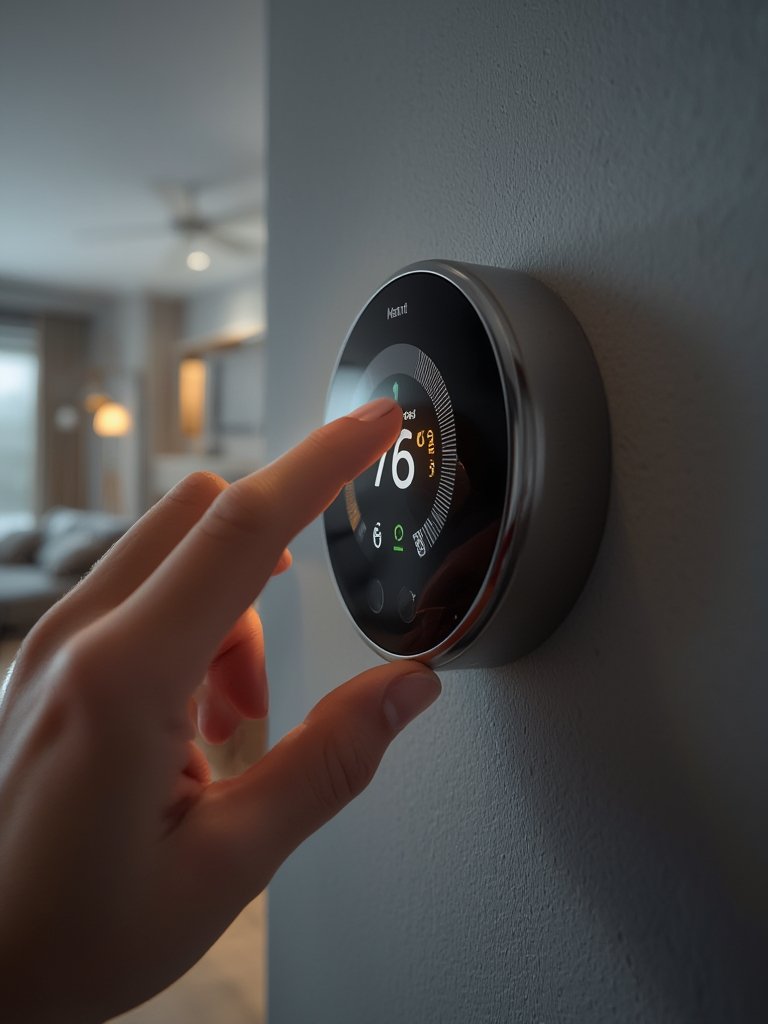
- Connect the thermostat to Wi-Fi and link it to your preferred app. Walk through guided setup—this often includes answering questions about your schedule and comfort preferences.
- Test routines, automations, and geofencing features. The true energy savings show up when the device adapts to real use, not just daily programming.
Still upgrading your home? Combining a smart thermostat with time-saving, automatic pet and cleaning devices, or finding top product picks and recommendations for your connected lifestyle, can streamline your entire routine.
Some thermostats offer predictive maintenance alerts. This means less overlooked upkeep, fewer surprise breakdowns, and healthier air quality—especially important if you’re concerned about appliance safety or have health sensitivities.
Advanced Analysis & Common Pitfalls
Even with rising adoption rates—driven by the promise of energy savings and smarter homes—there are some hard truths about smart thermostat ownership that usually go underreported.
Real-World Challenges
- Installation Surprises: Many older homes lack the needed wiring, making installation unexpectedly complex or costly.
- App Issues: Users often report unreliable apps, laggy remote access, or confusing software updates. Compatibility between devices and apps—or between multiple smart home brands—can be a headache.
- Limited Savings in Mild Climates: If you live somewhere that rarely needs heating or AC, your ROI may be less compelling.
- Hidden Costs: Most coverage skips the full scope of costs, which can include hardware ($100-$300+), installation, add-on sensors, and possible subscription fees for pro features like data analytics or remote HVAC diagnostics.
- Security Concerns: While rare, vulnerabilities in Wi-Fi networks could expose home devices to unwanted access—an issue mentioned in some industry reports.
- User Reviews: Most market reports don’t capture real pain points. However, common complaints in user forums include unreliable updates, glitches after power outages, and frustration with integrations that don’t “just work.”
Features Comparison Table: Leading Smart Thermostats (2024 Snapshot)
| Feature | Google Nest Learning | ecobee SmartThermostat | Honeywell T9 |
|---|---|---|---|
| AI/ML Scheduling | Yes | Yes | Basic |
| Sensors (Temp/Humidity/Motion) | Temp/Humidity | Temp/Humidity/Motion | Temp/Motion |
| Voice Assistant Integration | Google, Alexa | Alexa, Google, Apple | Alexa, Google |
| Wiring Required | C-wire (adapter available) | C-wire (adapter available) | Simpler; adapter usually included |
| Mobile App Stability | Very Good | Good, updates needed | Solid, simple interface |
| Typical Price (2024) | $200-250 | $220-250 | $140-180 |
Don’t forget to consider home improvement upgrades alongside your HVAC plans. If aesthetics or project management are top of mind, our home remodel company selection guide can help ensure a smoother journey.
How Much Could You Actually Save?
Research shows a household-wide installation can reduce heating and cooling energy use by around 9% per year—reasonable for most, but actual results depend on your climate, HVAC type, and willingness to customize device settings.[source] Most utilities don’t offer one-size-fits-all incentive programs, and rebates in 2024 remain inconsistent nationwide. If you rely on projected ROI, build in a margin of error.
The savings are meaningful if you have significant seasonal temperature swings or run the system often. For light usage or in very mild climates, it can take longer to break even.
If comfort is a priority, read real stories in forums before deciding. Until more data appears, treat market projections with healthy skepticism.
Conclusion
Smart thermostats make heating and cooling management easier and greener—they automate routines, maximize energy savings, and bring real technical advancements that can make your home more efficient. But it’s not just about jumping on a trend. Consider wiring, compatibility, installation challenges, and your true comfort priorities before purchasing. When asking “what is a smart thermostat?” remember: it’s a tool with the potential for both convenience and complexity, depending on your setup.
Ready to upgrade your living experience? Take the first step by comparing smart thermostats, reviewing compatible home tech like permanent outdoor lights or bedroom upgrades, and always cross-check for rebates or installation needs to make your investment worthwhile.
FAQ
How does a smart thermostat save energy?
Smart thermostats use AI and occupancy sensors to adjust temperature automatically, reducing wasted heating and cooling. Learning schedules and geofencing further cut unnecessary energy use—leading to lower bills over time.
What are the biggest challenges when installing a smart thermostat?
The main hurdles are outdated wiring (many systems lack a C-wire), app setup frustrations, and compatibility issues with certain HVAC types or smart home platforms. Some users find professional installation saves time and headaches.
Can I use a smart thermostat in an apartment or rental?
If you have access to your unit’s HVAC system and permission from your landlord, yes. Look for models that allow for easy removal and minimal wall damage—just like how renter-friendly furniture adds flexibility.
Are smart thermostats compatible with all HVAC systems?
Not all! Always check the product’s compatibility chart before buying. Systems with complex multi-stage heating, high-voltage baseboard heaters, or old wiring often need special adapters or aren’t supported.
Is there a risk of smart thermostats being hacked?
Any device on your Wi-Fi is a potential target if your network isn’t secure. Use strong passwords, update firmware regularly, and buy from reputable brands to reduce risk.