

Lutron smart blinds are changing how homeowners control light, privacy, and energy efficiency in their spaces, offering smart automation features that fit seamlessly into today’s connected homes.
Key Takeaways
- Lutron smart blinds are a premium solution in a growing automated blinds market, with smart home compatibility and energy-saving automation.
- Direct integration with Amazon Alexa (as of July 2024) enables advanced voice control and smart scheduling for hands-free convenience.
- Initial investment can be high, but installation is DIY-friendly if you follow best practices and understand possible limitations.
- What Are Lutron Smart Blinds and Why Are They Gaining Popularity?
- How to Install Lutron Smart Blinds: Actionable Steps
- Advanced Analysis & Common Pitfalls of Lutron Smart Blinds
- Conclusion
- FAQ
What Are Lutron Smart Blinds and Why Are They Gaining Popularity?
Lutron smart blinds are automated window treatments that can be wirelessly controlled by smartphones, schedules, or popular voice assistants like Amazon Alexa. Unlike regular blinds, Lutron’s wireless shading lets you automate open-close cycles, block out glare, and boost energy efficiency—all while integrating with broader smart home platforms.

The global automated blinds market reached $4.02 billion in 2024 and is projected to surpass $5.72 billion by 2030, largely due to demand for energy efficiency and smart home features. In North America, more than 35% of the market is attributed to high smart home adoption.
Lutron is considered a leading player alongside Hunter Douglas, Legrand, and other automation giants, with its Serena wireless shading line now integrating directly with Alexa (as of July 2024). Roller shades remain the most popular form, holding over 37% market share within automated shades, and fully automatic blinds account for nearly three-quarters of new smart blind installations.
So, why are Lutron smart blinds getting so much attention? Homeowners want smarter living—remote control from their phone, voice-activated privacy, and lower HVAC bills by optimizing natural light throughout the day. These blinds offer a premium path to all three in one upgrade.
How to Install Lutron Smart Blinds: Actionable Steps
Installing Lutron smart blinds can be a realistic DIY project for most homeowners, especially if you are comfortable with simple measurements and drilling. The following step-by-step guide covers what you’ll need, how installation typically unfolds, and crucial tips for setup success.
- Unpack and Inventory Your Blinds: Check that you have all brackets, screws, the smart bridge, batteries (if applicable), and mounting hardware. Read through the quick-start instructions included with Lutron Serena or equivalent models.
- Mark and Mount the Brackets: Following your measured lines, use a pencil and a level to mark bracket holes. For drywall mounting, use proper anchors to avoid wall damage. Hardwood, vinyl, or masonry may require specialty anchors or pilot holes. Attach brackets with a drill or screwdriver.
- Install the Blind Headrail: Snap the blind’s headrail into the wall or window frame brackets until it clicks securely in place.
- Add Power Supply: For battery-powered models, install batteries in the cassette. For wired systems, connect to the designated outlet—never force cabling as it may damage motor controls.
- Set Up the Smart Bridge: Connect Lutron’s smart bridge to your WiFi router using the supplied Ethernet cable. Plug in the power and wait for the indicator light to go steady. Activate the bridge through the Lutron app.
- Pair Blinds to the App: Download the official Lutron app. Use the step-by-step setup wizard to add each blind, calibrate open-close limits, and assign rooms for group commands.
- Integrate with Alexa: Open the Alexa app, enable the Lutron skill, and link your Lutron account. From there, assign blinds to rooms or routines to leverage hands-free voice control.
- Test Operation: Run the blinds through open-close cycles via both the app and voice. If response is delayed or missed, move the smart bridge closer to the center of your home for better signal reach.
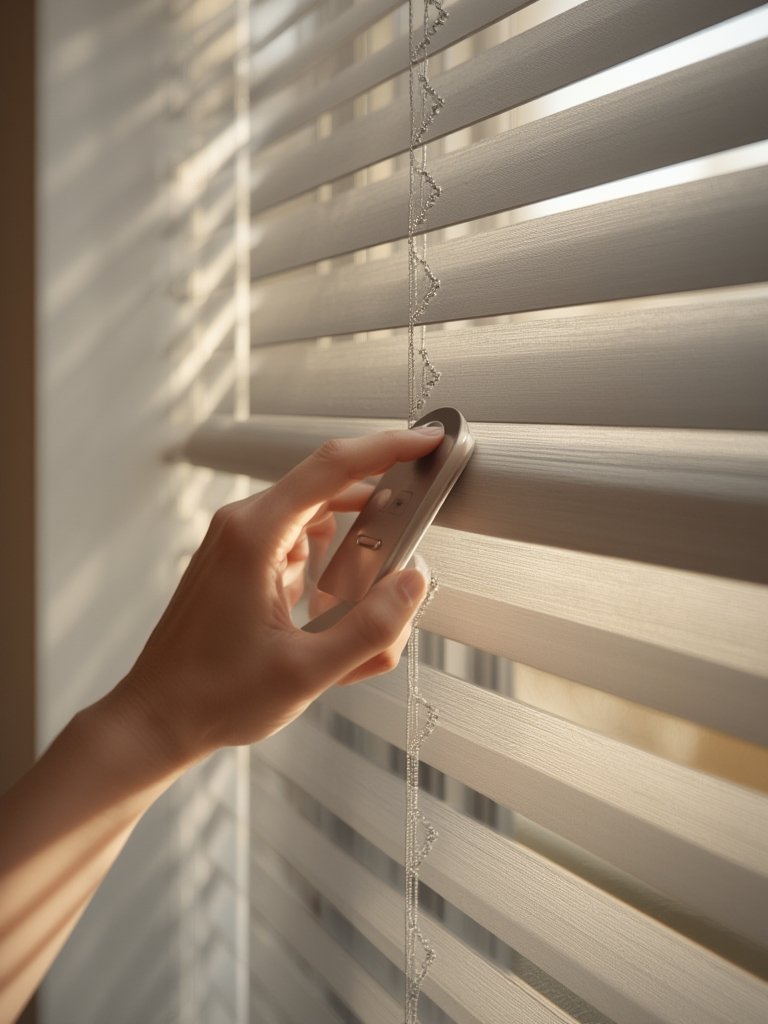
While Lutron offers custom sizing for many unusual window shapes, it’s wise to consult with a certified installer for complex bay, arched, or floor-to-ceiling window openings. Some users also choose professional setup if integrating with full-home smart systems like Homebridge or whole-home automation hubs. For most straightforward installations, expect the DIY process for a single window to take about 30 to 60 minutes.
In terms of cost, Lutron smart blinds are a premium investment—prices vary by size, fabric, and features, with market commentary noting higher upfront expense as a common consideration (Arizton Market Report).
If you’re managing window light for allergy control or easier cleaning, combining your smart blinds with a self-emptying robot vacuum makes day-to-day upkeep simple.
Advanced Analysis & Common Pitfalls of Lutron Smart Blinds
While Lutron smart blinds deliver genuine connected convenience, several practical challenges and limitations are worth considering before purchase or installation. Market research and user feedback highlight the following issues:
| Pitfall or Challenge | Details & Considerations | Workaround or Solution |
|---|---|---|
| High Upfront Cost | Lutron smart blinds and shades are priced as a premium solution compared to big box alternatives. Market-wide, price is often listed as a main barrier for buyers. No subscription or maintenance fees are cited; initial expense remains the main factor. | Consider limiting installation to the most frequently used rooms for initial rollout or look for sales and bundled packages. |
| Integration Limitations | Direct Alexa integration is confirmed (July 2024). Google Home/Apple HomeKit compatibility is expected but not guaranteed for all models or automations. Market support exists for Matter, ZigBee, Z-Wave, but real-world performance can vary by device and network. | Double-check platform compatibility before buying—especially if your home uses a complex or mixed-protocol automation setup. |
| Installation Missteps | DIY installation can be straightforward but is less forgiving for oversized, odd-shaped, or high-up windows. Missing the centering on brackets or using the wrong anchors may result in crooked shades or repairs. | Engage a professional for difficult windows and always pre-drill anchor holes when mounting on harder materials. |
| Security & Privacy | No security vulnerabilities or privacy issues are called out in current research, but as with all WiFi or ZigBee devices, best practice is to use secure passwords and keep firmware updated. | Update device firmware regularly and secure your smart home WiFi network. |
| Noisy Operation (Market-wide) | Noise, motor hum, or uneven movement is sometimes cited for lower-cost brands. No specific Lutron data, but premium models usually offer smoother, quieter performance. | Opt for Lutron’s higher-end models if noise is a concern and avoid bargain motorized blinds for bedrooms or nurseries. |
Unlike more basic options from big box stores, Lutron gives you wider fabric choices, custom sizing, and the assurance of premium build quality. Still, consider whether all your window locations require smart controls or if certain rooms could use simple shades to manage overall project cost (Accio Smart Blinds Market Trends).
If you need additional troubleshooting support, explore Lutron’s official documentation or community forums. Also, for renters or those looking for non-intrusive upgrades, alternatives like battery-powered IKEA FYRTUR blinds or quick-install cordless DIY blinds exist, although with more limited integration and size options.
Conclusion
Lutron smart blinds stand out as a premium, automation-ready upgrade for homeowners who value smart home integration, customized light control, and streamlined schedules. With direct Amazon Alexa support, robust hardware, and custom-fit designs, these blinds deliver modern convenience—but at a higher up-front price and with a learning curve for multi-room or advanced setups. Carefully measuring your windows, confirming smart home compatibility, and deciding where smart control matters most will help maximize your investment and avoid frustration. If you want to learn how Lutron smart blinds can fit into a complete smart home, explore related guides like best smart garage door openers and smart thermostats.
Ready to automate your home? Start by choosing the right Lutron smart blinds for your most-used windows, and take real control over comfort, privacy, and energy savings.
FAQ
Do Lutron smart blinds work with Google Home or Apple HomeKit?
Market research suggests smart home platform compatibility is strong, including Alexa and likely Google Home or HomeKit, but always double-check your model for official support—especially for advanced scenes or routines.
What is the typical investment for Lutron smart blinds in 2024?
2024 pricing is not formally published, but Lutron is positioned as a premium solution with significant up-front costs per window—typically custom-quoted. Budget alternatives from IKEA or lower-end brands offer simpler features at a lower cost.
Can I install Lutron smart blinds myself?
Yes, most homeowners can DIY install in under an hour per window with basic tools. For complex window shapes or full-integration with whole-home systems, professional installation is worth considering.
Are there any ongoing subscription or maintenance fees?
No recurring subscription or maintenance fees are required for Lutron smart blinds as of 2024. The initial investment covers the hardware and software updates are typically free via the Lutron app.
What should I do if my blinds fail to respond to the app or voice controls?
First, move the Lutron smart bridge closer to the affected blinds and check WiFi signal strength. Ensure both app and blinds firmware are up to date. If issues persist, reboot your router and smart bridge.
—