

Nuki smart lock is transforming the way homeowners secure and access their properties, bringing advanced smart home technology to entry doors across Europe and soon the US.
Key Takeaways
- Nuki is Europe’s fastest-growing smart lock brand and the first to offer native Matter support for seamless smart home integration.
- While Nuki offers quick retrofit installation and broad compatibility, new users should plan for possible technical hurdles and integration checks.
- Official market share percentages are not public, but Nuki’s usage is rapidly expanding, with entry into North America planned for 2024–2025.
- What Is Nuki Smart Lock and Why Use It?
- How to Install and Use a Nuki Smart Lock: Step-by-Step
- Advanced Analysis & Common Pitfalls
- Conclusion
- FAQ
What Is Nuki Smart Lock and Why Use It?
Nuki smart lock is a retrofit electronic door lock designed to fit European cylinders, turning your standard lock into a keyless entry system without changing hardware. Nuki stands out with its user-friendly installation, wireless functionality, and smart home compatibility—especially with the introduction of native Matter support in its fourth-generation model. This makes it possible for homeowners to control access, monitor activity, and automate routines directly from their phones or smart home hubs.
Nuki offers several models, but all center on making traditional doors smart—great for renters, tech enthusiasts, and anyone interested in the convenience of remote or automated locking. The company’s ongoing expansion, especially its anticipated launch in the US with the Nuki Smart Lock Ultra, signals a commitment to cutting-edge technology and broader compatibility than most competitors.
The appeal of Nuki’s solution rests on three pillars: easy installation, comprehensive app control, and expanding smart home platform integration—including Apple HomeKit, Google Home, Amazon Alexa, and the newest standard, Matter. For those navigating the fast-growing smart home market, Nuki promises a flexible upgrade path without replacing your door or keys.
For more coverage of home technology and product picks, visit our top product picks and recommendations or explore Ring Video Doorbell Elite for complementary security upgrades.
How to Install and Use a Nuki Smart Lock: Step-by-Step
Setting up a Nuki smart lock is generally designed to be quick and non-invasive, but there are some technical checks to make before you start. Follow these steps for a successful installation and efficient use:
- Prep & Plan: Check your door type, lock cylinder, and key thickness. Ensure your lock supports operation from both sides when a key is inserted—this is essential for most retrofit smart locks, including Nuki.
- Unpack & Mount: Unbox the Nuki smart lock and, if needed, the supplied mounting plate. Attach the device over your existing lock according to the guide—no drilling or wiring needed in most cases.
- Install the App: Download the Nuki app and follow the pairing instructions. The app will prompt you to calibrate locking and unlocking positions for your specific door.
- Connect Accessories: If you purchased Nuki accessories (Bridge for remote access, Keypad for PIN entry, Door Sensor for status alerts), pair them via the app.
- Integrate with Smart Home: Enable integrations like HomeKit, Alexa, Google Home, or Matter, according to your smart home ecosystem. For Apple users needing HomeKit bridging, tools like Homebridge can help with broader device support.
- Set Up Users: Add family, friends, or service providers as users via the Nuki app. Set permissions, time windows, and track activity logs for accountability.
- Test Thoroughly: Test locking, unlocking, remote control, and all integrations before relying on the system for daily use. Pay particular attention to battery alerts and mechanical resistance—doors that stick can cause excess battery drain.
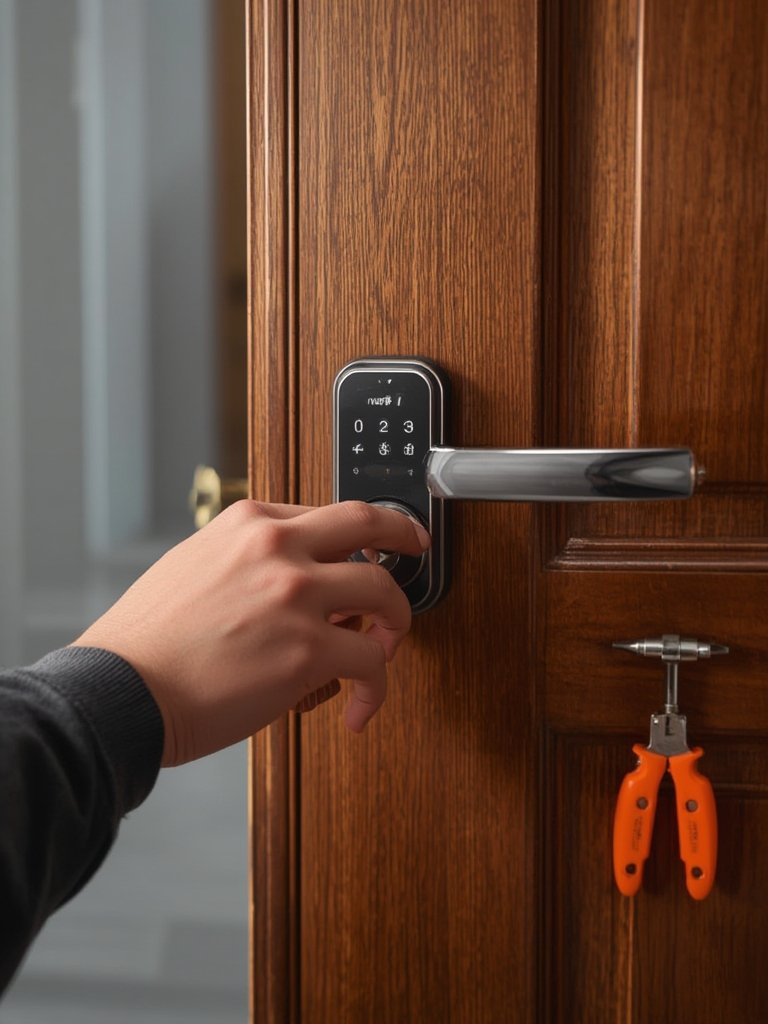
While the Nuki system is known for ease of use, be sure to follow installation videos and official troubleshooting in the Nuki Help Center. DIYers with nonstandard European locks should double-check requirements to avoid gaps in security or incomplete setups.
If you want to explore other home gadgets that simplify life for pet owners, see our guide to the self emptying robot vacuum for pet hair.
Advanced Analysis & Common Pitfalls
While Nuki’s smart lock brings significant convenience, several advanced points and user pitfalls merit attention. Here’s a realistic breakdown based on market data, combined with lessons learned from smart lock adoption in general:
- Lack of Detailed Comparative Security Data: No public comparative information is available for Nuki’s encryption, fail-safes, or battery life versus August, Yale, or other leaders. Buyers looking for in-depth security audits may find this opacity frustrating compared to US brands that publish white papers or certifications.
- Unknown Installation Issues: Research did not yield specific or aggregate reports of user installation difficulties. Given the wide variety of European cylinders and doors, niche compatibility problems, misalignment, or Bluetooth range issues may occur. Nuki’s customer support effectiveness on this front is an open question, though ongoing sales growth suggests they have not been deal-breakers for most users.
- Recurring Review Themes Not Yet Public: There were no public datasets or top complaints available for Nuki, unlike some US competitors with large Amazon or Trustpilot footprints. Typical pain points to watch for in this device sector include laggy remote controls, short battery lifespan in harsh climates, and app updates occasionally introducing unexpected bugs.
- True Cost Calculation: Nuki has not released all-in cost breakdowns for devices, accessories, professional installation, or potential ongoing subscriptions for remote connectivity. Prospective buyers should tally not just the device, but any needed bridge, keypad, or sensors—plus possible costs if professional locksmith intervention is needed for tricky doors.
- Integration Edge: Where Nuki shines is smart home compatibility. The fourth-generation lock is the first globally to offer true native Matter support, which lets it work out-of-the-box with any platform supporting this new universal smart home standard. This gives Nuki a future-proofing advantage as Google, Apple, and Amazon increasingly rally behind Matter. Source
| Feature | Nuki (2024) | August (2024) | Yale (2024) |
|---|---|---|---|
| Native Matter Support | Yes (First globally) | No (Planned, not released) | No (Planned, not released) |
| HomeKit/Google/Alexa Compatibility | Yes, direct and via Matter | Yes | Yes |
| Retrofit (No door replacement needed) | Yes | Yes | Some models only |
| Official Security Audit Published | Not public | Yes | Yes |
| Announced US Market Entry | 2024–2025 | Yes | Yes |
| Transparent Pricing (Device+Accessories) | Not public | Yes | Yes |
If you’re upgrading your entire entry system, consider also reading about permanent outdoor lights for greater safety and curb appeal, or look into nearby security camera companies for multi-layered protection.
Conclusion
Nuki smart lock delivers an accessible, rapidly evolving entryway solution for smart home enthusiasts, especially those wanting flexible installation and best-in-class integration. The lack of public data on installation friction and real-world support is offset by strong sales and Matter-first innovation, making Nuki an exciting option—even as some due diligence is still required. If you’re aiming to future-proof your home security and crave control from your phone or voice assistant, the nuki smart lock deserves a close look.
Ready to upgrade? Visit Nuki’s official website or your trusted smart home retailer to check latest model availability.
FAQ
Is Nuki smart lock compatible with US doors?
Nuki was initially built for European lock cylinders, but with the upcoming Nuki Smart Lock Ultra, US-market compatibility is planned for 2024–2025. Double-check cylinder specs before ordering if you are in North America.
Does Nuki require permanent door modifications?
No. Most installations require no drilling or permanent changes. Nuki’s adhesive or screw-on mounting methods are both fully reversible, making it ideal for renters and homeowners alike.
How secure is Nuki smart lock compared to August or Yale?
Specific encryption and technical audit details for Nuki are not public. However, Nuki follows common smart lock industry standards and has not reported any major breaches. Competitors like August and Yale publish detailed audits—Nuki users must weigh this factor for themselves.
Can I use Nuki without an internet connection?
Yes. The lock functions locally via Bluetooth for access and control. Remote unlocking and advanced features require the Nuki Bridge for internet connectivity.
What is Matter and why does it matter for Nuki?
Matter is a new smart home standard supported by Apple, Google, Amazon, and others. Nuki’s native Matter support means your lock will work out-of-the-box with any platform following this universal protocol, ensuring future compatibility.